A short scrolling intro, shown as an animation: the Vartmaan AI intake inbox on a tablet, with sample data, turns into a sheet of paper, crumples into a ball and unfolds as today's edition of this front page. Nothing in it is missing from the page below.

Assignment-desk intake for the Hindi newsroom

Vartmaan AIवर्तमान

Live on the assignment desk

  • BREAKINGOne inbox for WhatsApp, Outlook and the Reporter app
  • SAMPLE STORYPali: सोजत में ट्रक और बस की भिड़ंत, 12 घायल
  • BREAKINGTexts, photos and voice notes sent within 90 seconds become one item
  • SAMPLE STORYKota: कोटा में डेंगू के 40 नए मरीज़
  • BREAKINGFootage found on the FTP. Vartmaan never changes the reporter's footage
  • SAMPLE STORYBarmer: बाड़मेर रिफ़ाइनरी का काम 85% पूरा
  • BREAKING48 districts tagged from the reporter's own city token
  • SAMPLE STORYUdaipur: उदयपुर में पर्यटन सीज़न शुरू

For the input desk

Every reporter's file reaches one desk, with its slug and its footage. People make every call.

Stories arrive on WhatsApp, in Outlook and through the Reporter app. Vartmaan AI gathers them into one inbox, keeps the reporter's slug as typed, tags the district, and finds the footage the reporter already put on the newsroom FTP.

It never changes the reporter's footage; the only place it writes is its own folder. Nothing reaches Octopus, the newsroom system, until a person on the desk approves it.
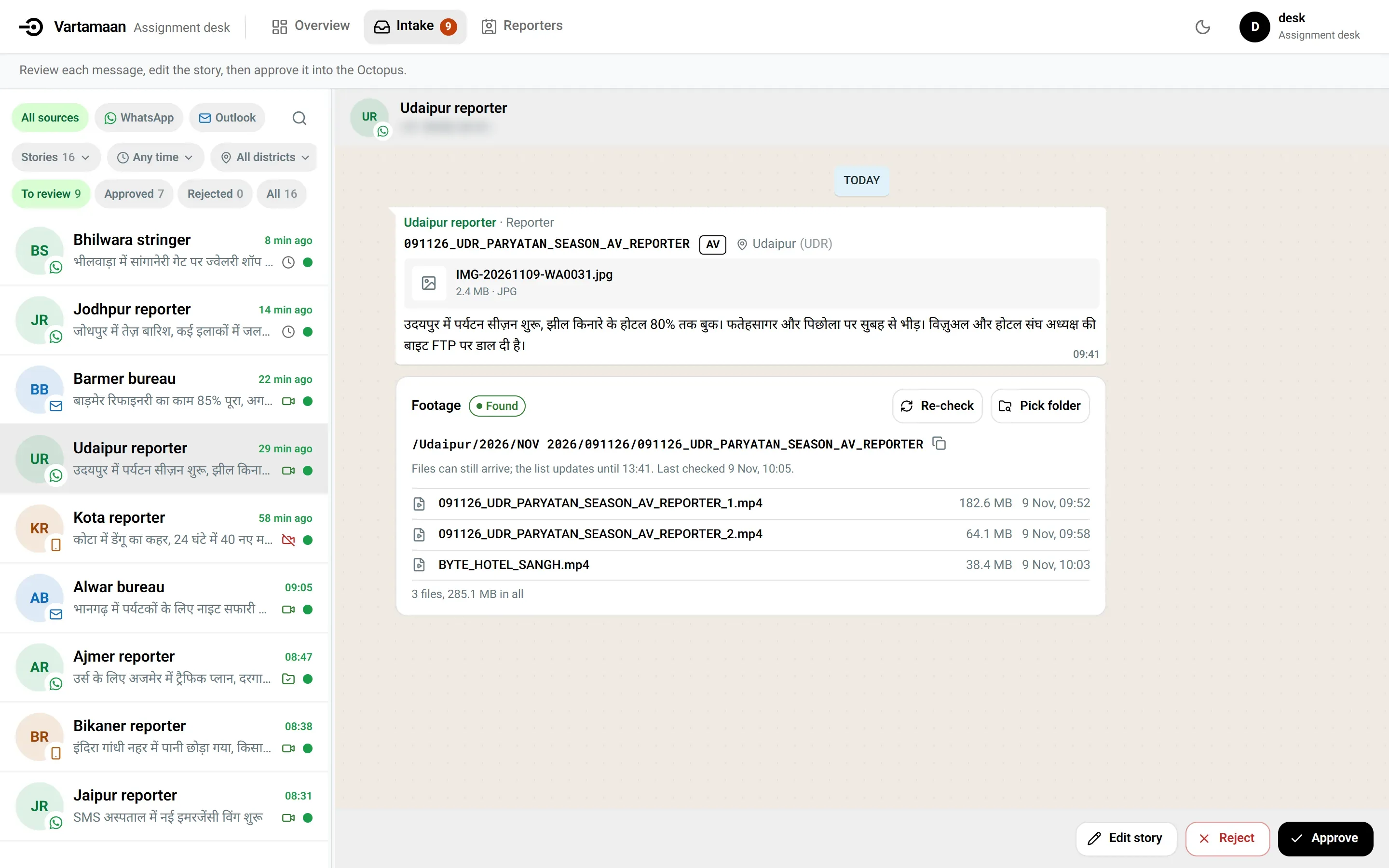
The Vartmaan intake inbox: a list of reporters' stories on the left; on the right the Udaipur reporter's story with its slug, tagged Udaipur, and a Footage panel marked Found with three video files; Edit story, Reject and Approve at the bottom.
Sample data / IntakeThe Udaipur reporter's story in the inbox: slug, district, and footage marked Found on the FTP, above Edit story, Reject and Approve. The sender's number is blurred.

One story, kept intact

From a reporter's file to the desk's next decision

Vartmaan does the sorting work around the story. The editor still decides what moves.

Vartmaan intake inbox with a reporter story and footage status.
Received / intakeThe story arrives with its source, slug, and first review state.

The desk in practice

One place to see what arrived, what matched, and what can move.

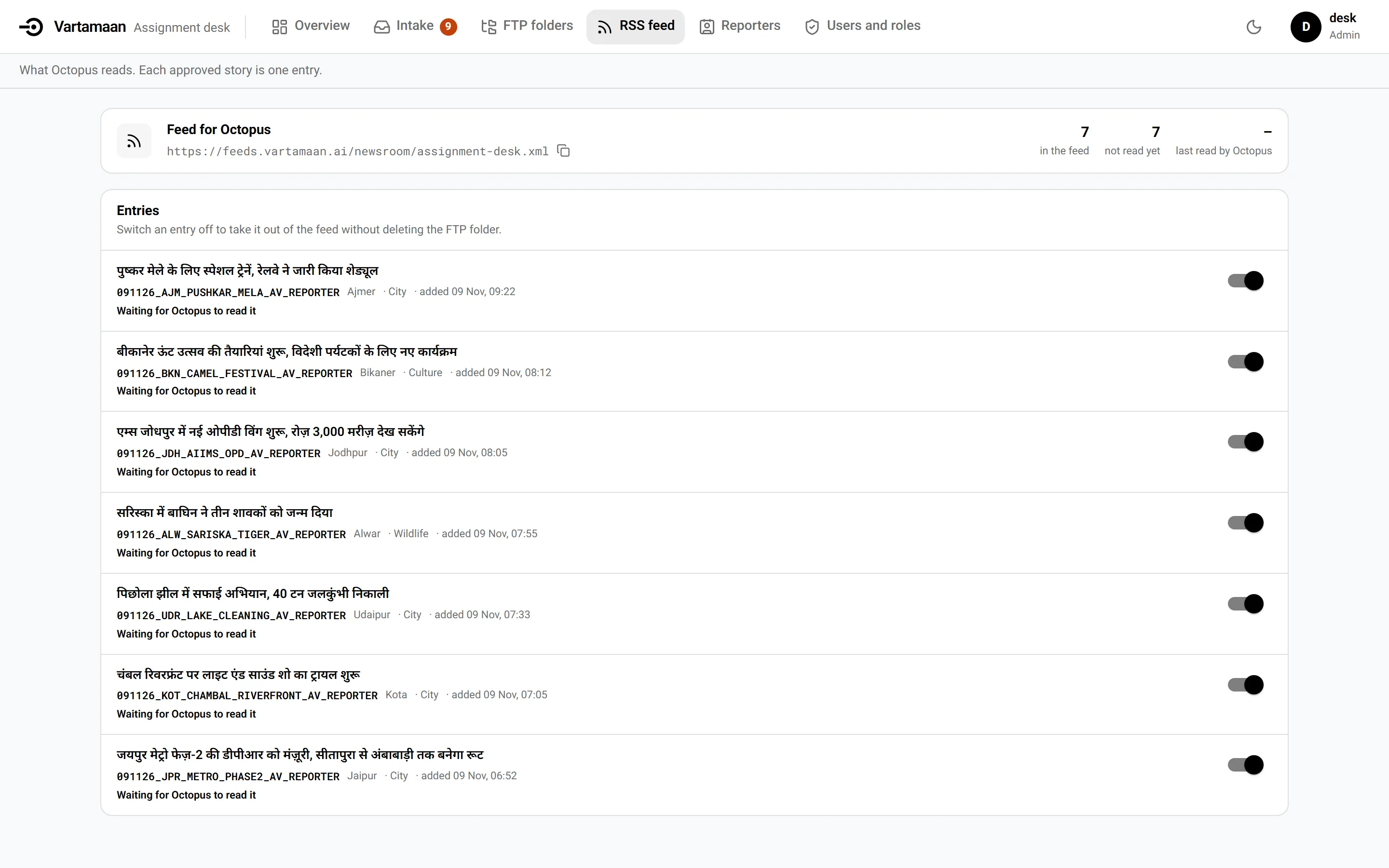
Vartmaan Feed for Octopus with approved stories, Hindi headlines, slugs, districts, and state switches.
Feed for OctopusApproved stories stay visible as a working queue, not a hidden export.
THE OUTPUT DESK

Approval is the handoff.

Every item keeps its headline, slug, district, and review state until the editor sends it to Octopus.

Watch the handoff
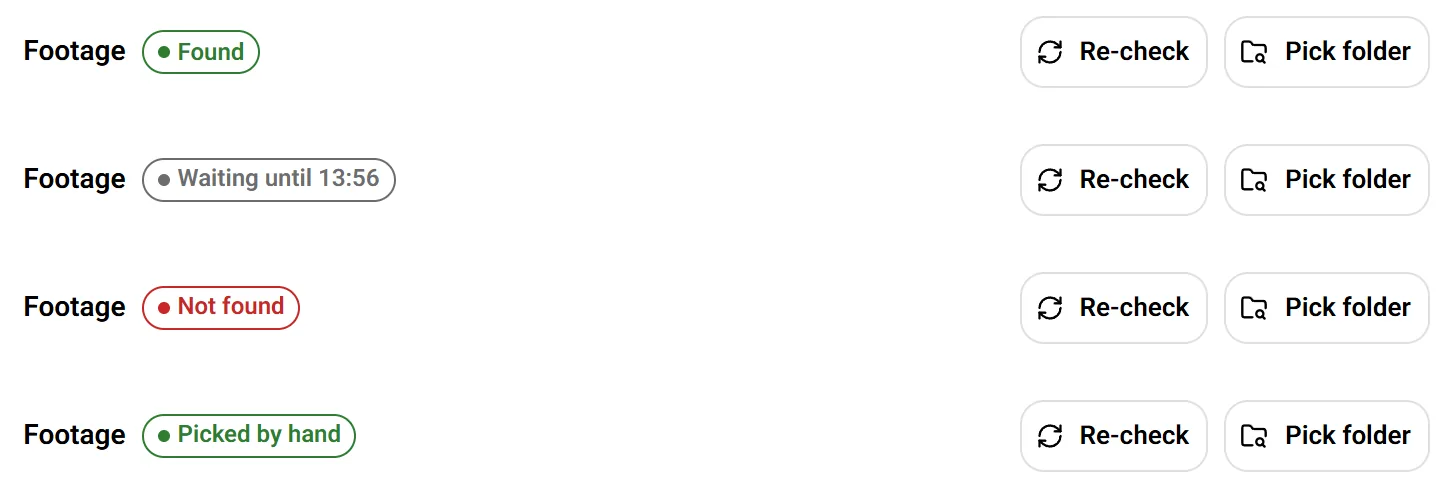
Vartmaan footage statuses Found, Waiting, Not found, and Picked by hand with Re-check and Pick folder controls.
FOOTAGEFound, Waiting, Not found, Picked by hand.
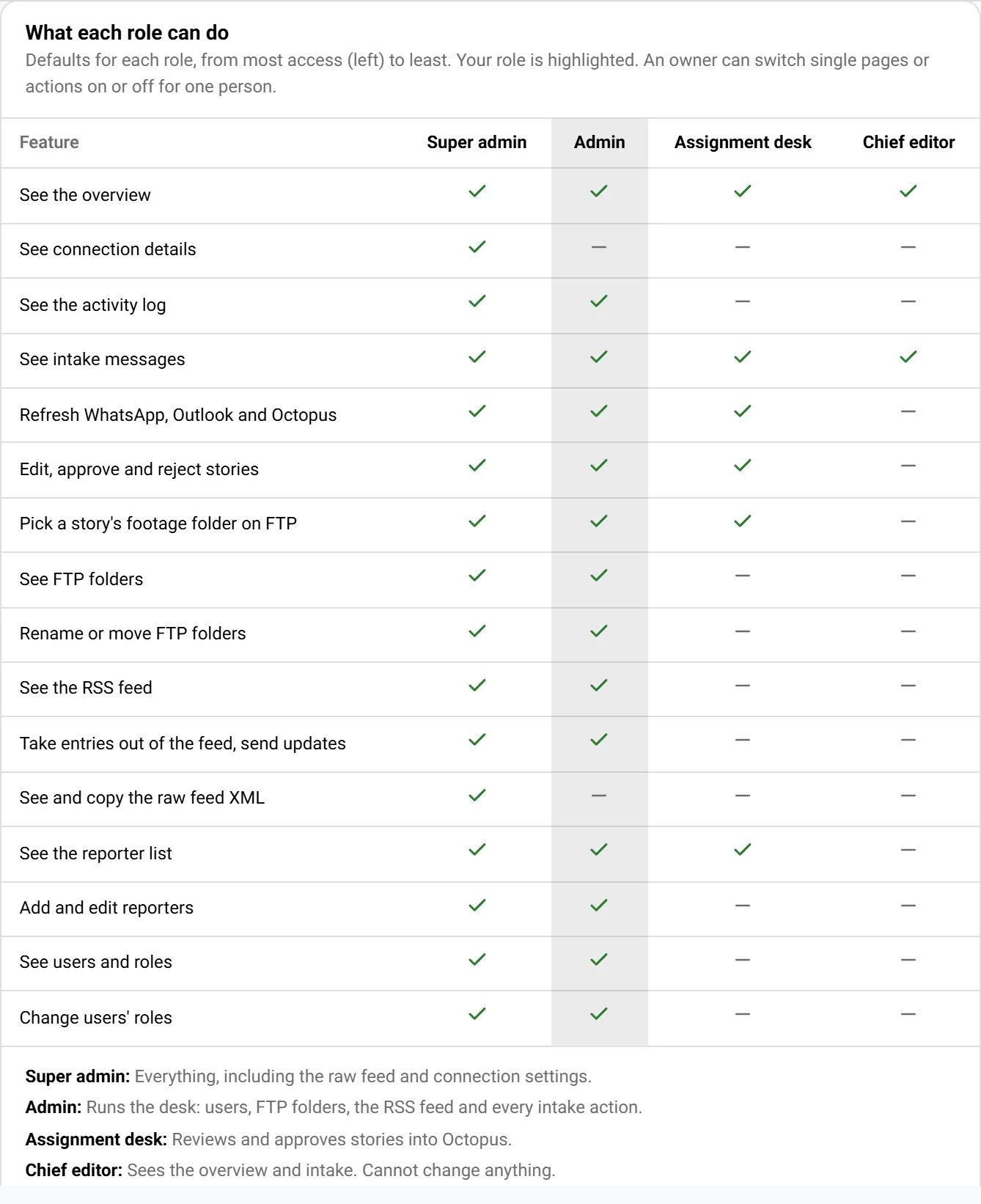
Vartmaan users and roles screen showing role-based access controls.
ACCESSFive roles and fifteen permission keys.

Wire / Vartmaan AI / assignment desk

How a reporter's story reaches the desk with its footage

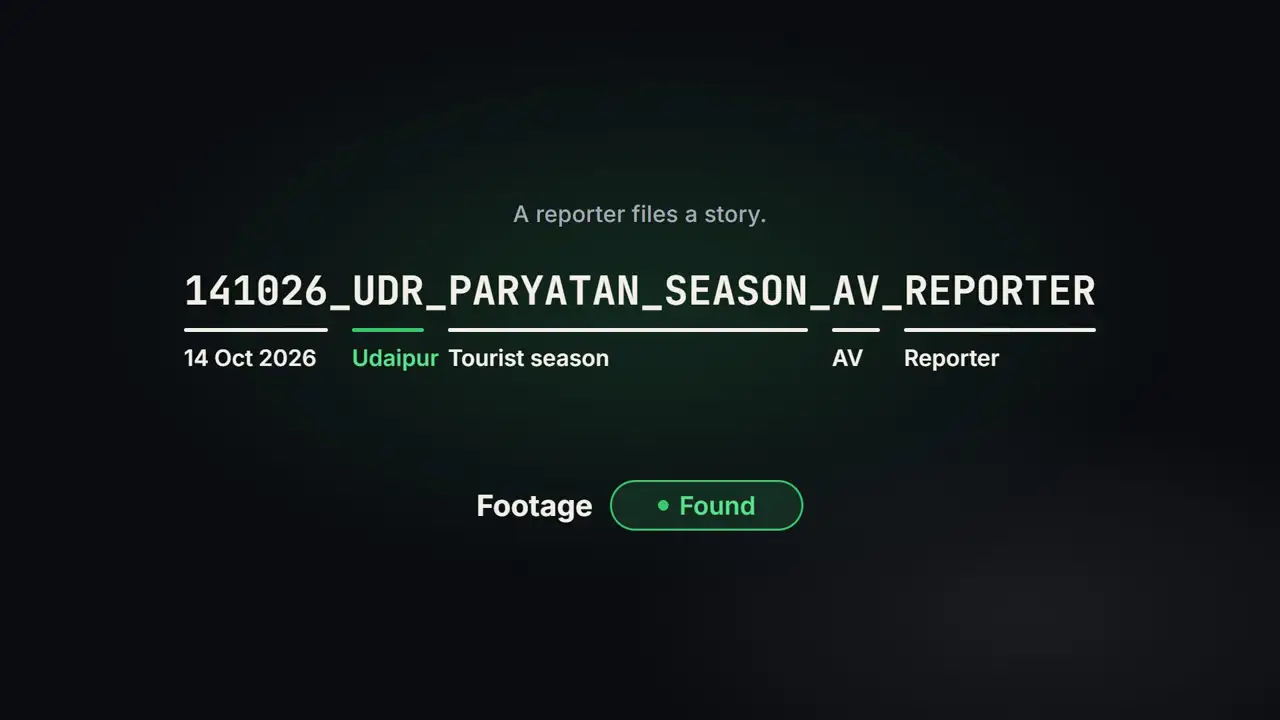
  1. A reporter files a story: the slug 141026_UDR_PARYATAN_SEASON_AV_REPORTER, read as 14 Oct 2026, Udaipur, tourist season, AV, with Footage marked Found.

    STORY FILED

    A reporter files a story. The slug 141026_UDR_PARYATAN_SEASON_AV_REPORTER is kept as typed and read as Udaipur, tourist season, AV.

  2. Title card: Vartmaan AI, assignment-desk intake for newsrooms.

    VARTMAAN AI

    Vartmaan AI: assignment-desk intake for newsrooms.

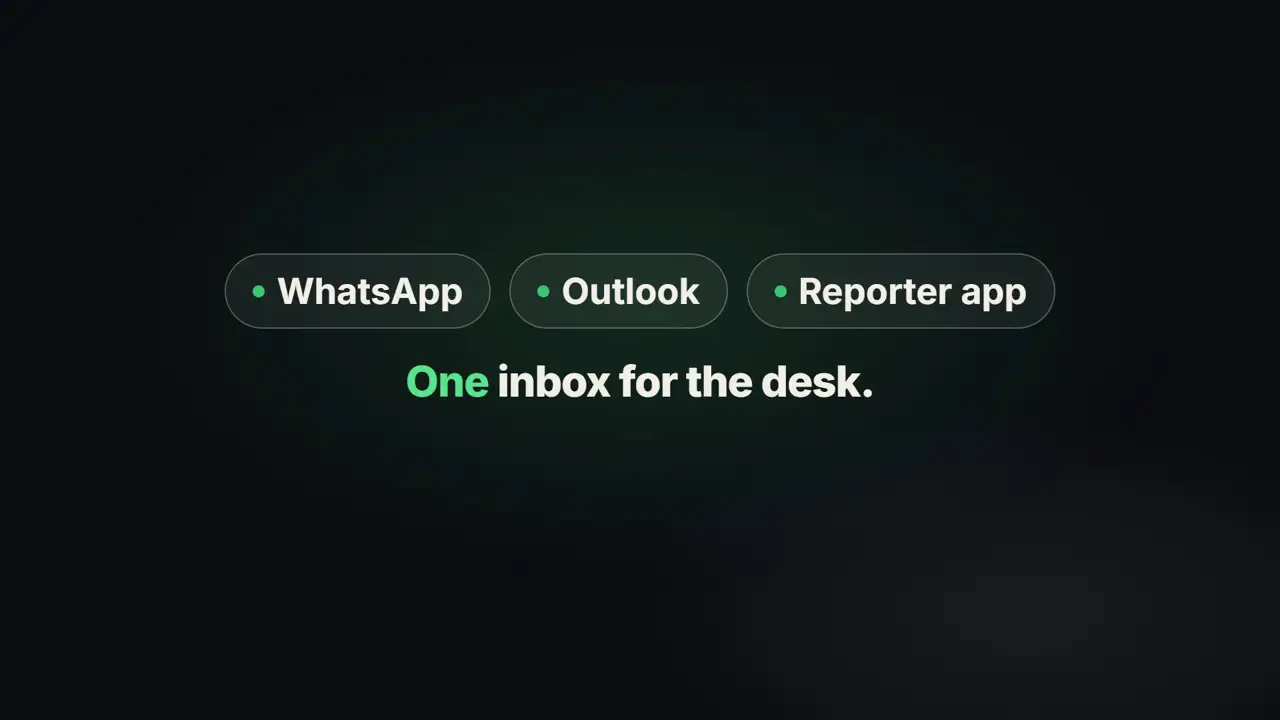
  3. WhatsApp, Outlook and Reporter app chips above the words: One inbox for the desk.

    ONE INBOX

    WhatsApp, Outlook and the Reporter app go into one inbox. Pieces sent within 90 seconds become one item, and mail is checked every 60 seconds.

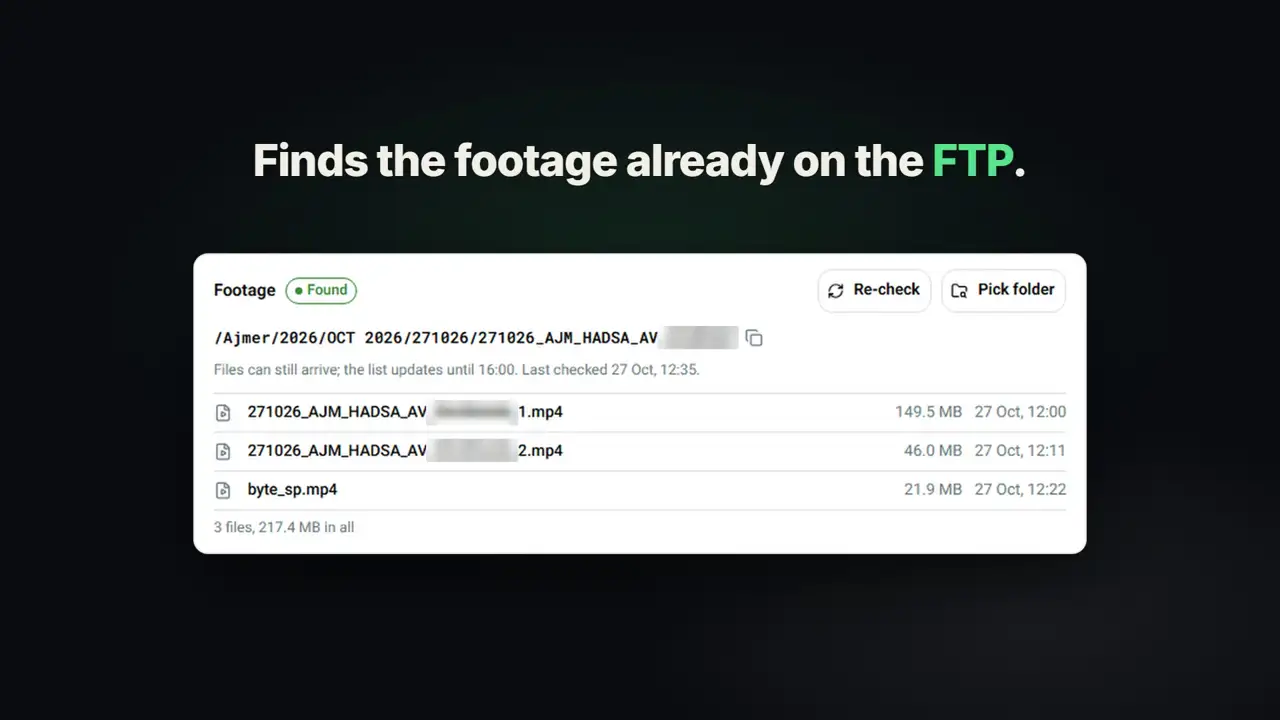
  4. Finds the footage already on the FTP: a Footage panel marked Found, with the folder path and three files.

    FOOTAGE FOUND

    It finds the footage the reporter already put on the FTP. It scans every 5 minutes and waits up to 4 hours.

  5. READ-ONLY

    Read-only on the reporter's footage: it never changes the reporter's footage; the only place it writes is its own folder.

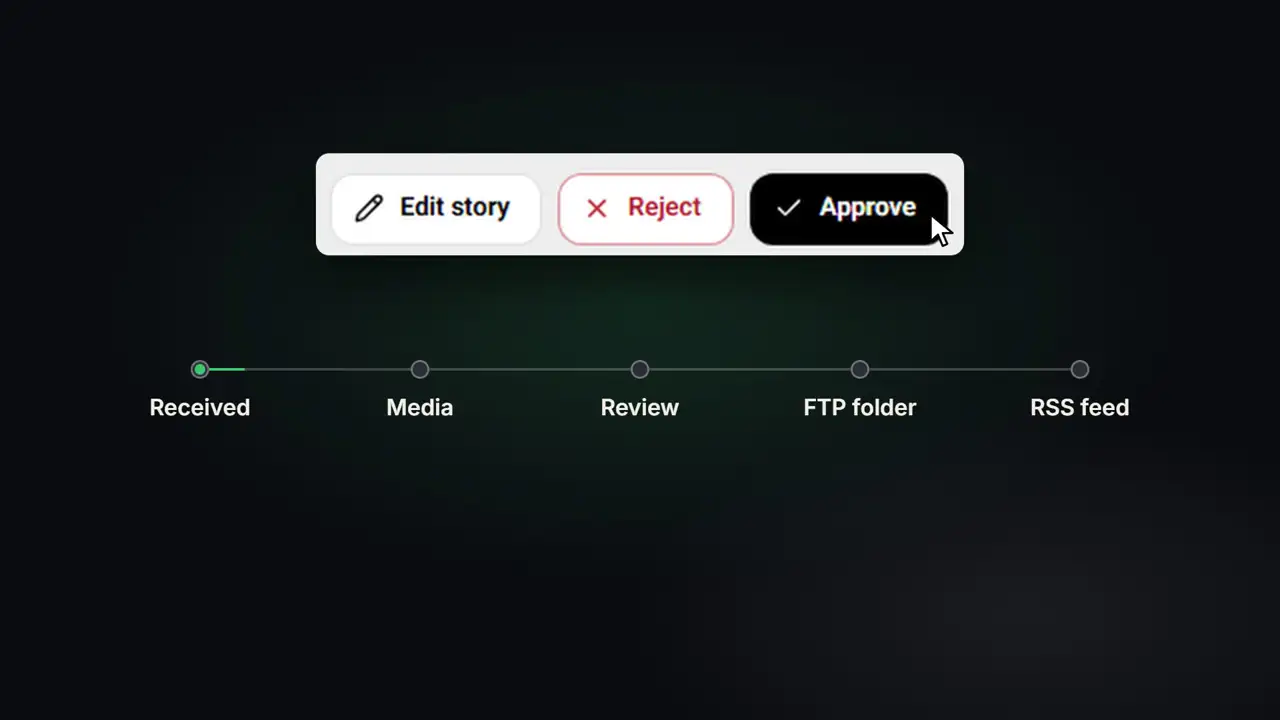
  6. Edit story, Reject and Approve buttons above the progress line Received, Media, Review, FTP folder, RSS feed.

    DESK DECIDES

    The desk edits, rejects or approves. The story moves along one line: Received, Media, Review, FTP folder, RSS feed.

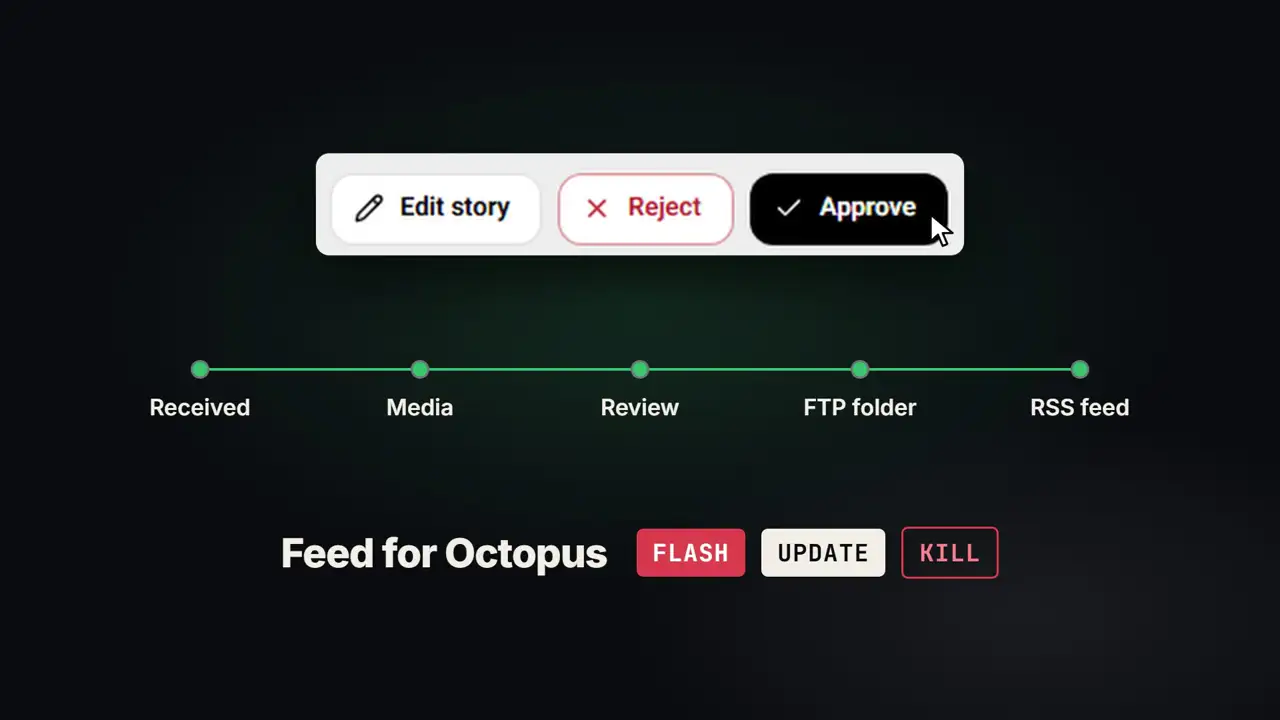
  7. Feed for Octopus, with FLASH, UPDATE and KILL labels, under the completed progress line.

    FEED FOR OCTOPUS

    Approved stories reach Octopus as a feed, with FLASH, UPDATE and KILL.

By the numbers

Figures as Vartmaan AI runs today, set like the market page.

Intake and footage
CodeFigureWhat it measures
VRT.SRC3Sources into one inbox: WhatsApp, Outlook, Reporter app
VRT.MRG90 sWindow that merges texts, photos and voice notes
VRT.MAIL60 sMail check
VRT.KIND4Item kinds: story, press release, day plan, not a story
VRT.DST48Districts tagged from the city token
VRT.FTP5 minFTP footage scan
VRT.WAIT4 hLongest wait for footage
VRT.DAY±1 dayDay folders checked around the story's date
VRT.STAT5Footage statuses
Desk and access
CodeFigureWhat it measures
VRT.TYPE10Story types
VRT.REV6Review states
VRT.ROLE5Roles
VRT.KEY15Permission keys
VRT.LOCK10 / 15 minFailed logins before lockout
VRT.UPL500 MBUpload limit; larger files go by FTP
VRT.APP20Files per report in the Reporter app